You can't use a USB drive as VRAM — the enterprise guide to GPU memory capacity planning in 2026
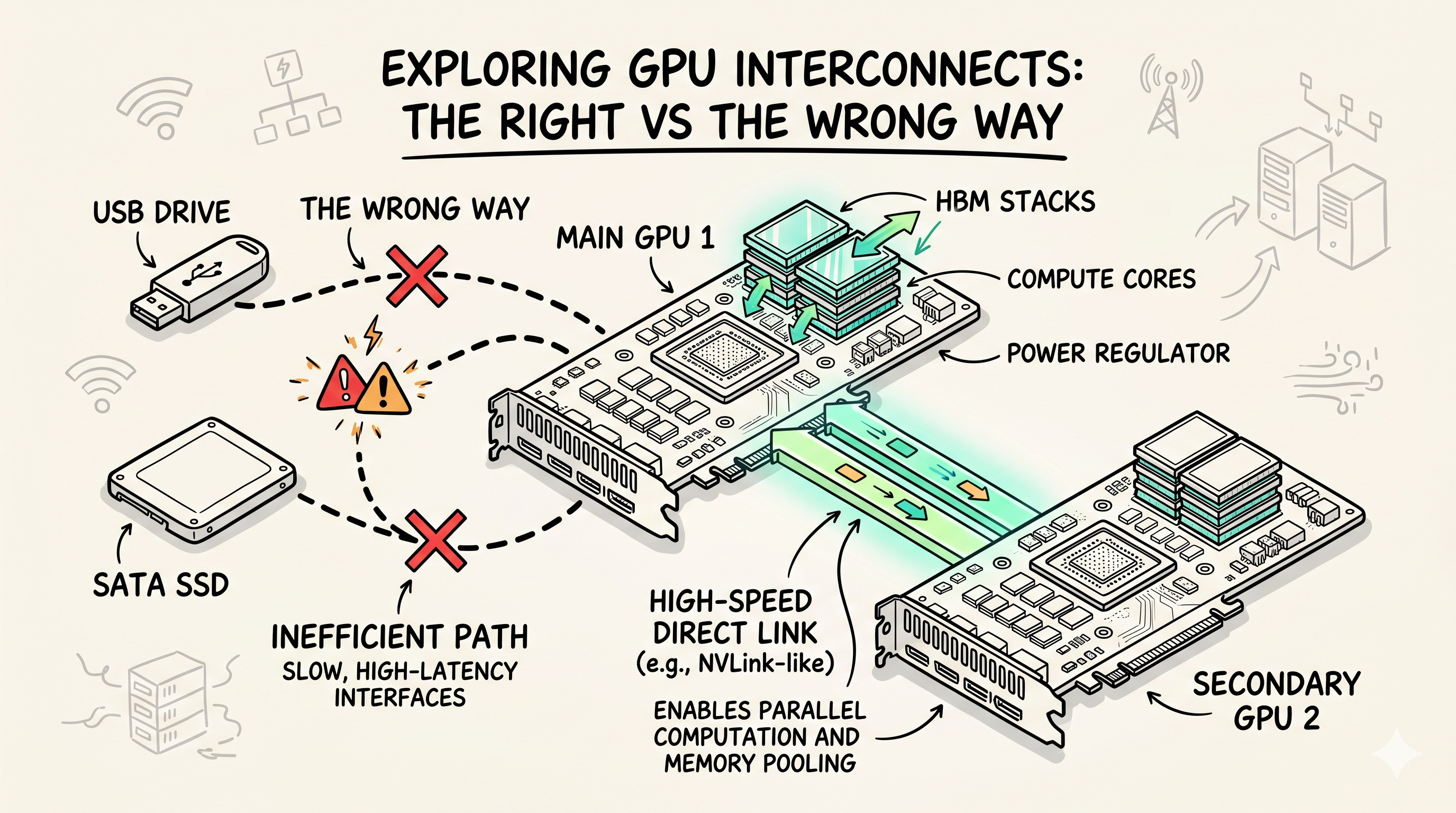
Storage isn't VRAM. eGPUs aren't a data center strategy. Shared memory isn't a capacity plan. Every quarter, an AI infrastructure team somewhere asks the same question: "we're running out of GPU memory, can we just use the SSDs?" No. Here's what actually works at scale, what doesn't, and the procurement and capacity planning playbook for GPU memory in 2026.
This post is written for AI platform engineers, infrastructure architects, and FinOps leads running shared GPU clusters. It's not about a single workstation — it's about a fleet. The unit of analysis is the rack, the budget, and the quarter.
Once the fleet exists, two companion posts cover what runs on it: engine selection and quantization (which engine, which precision, when to call an API instead) and GPU Autoscaling is Broken (scaling LLM inference under real load). This one is the layer above both: how much GPU memory to buy in the first place.
Why this question comes up every cycle
The pattern is the same: a team lands a model that needs more VRAM than the fleet has. Someone — usually a new hire, sometimes a senior engineer who's been on call too long — asks:
- "Can we use the NVMe drives as VRAM?"
- "Can we share GPUs across users with a memory pool?"
- "Can we just add an external GPU box?"
These are all reasonable questions at a workstation. At enterprise scale they're all the wrong questions. The right questions are:
- How do we model GPU memory demand at the workload level?
- How do we size the fleet for peak vs steady state?
- How do we trade off VRAM-per-GPU vs throughput-per-dollar?
- How do we right-size the model deployment (quantization, batching) before buying hardware?
The rest of this post is the four ways GPU memory actually scales in a data center, and the procurement + capacity planning framework that goes with them.
The four ways to scale GPU memory in 2026
| Approach | What it does | Enterprise use | Verdict |
|---|---|---|---|
| Multi-GPU sharding (tensor / pipeline / expert parallel) | Split a model across N GPUs' VRAM | Standard for models >24GB | ✅ The right answer for >1 GPU |
| Shared memory (unified / NVLink-C2C) | GPUs share a coherent memory pool | Grace Hopper, MI300X, NVL72 racks | ✅ Works, but rack-locked |
| GPUDirect Storage (GDS) | DMA from NVMe to VRAM, bypassing CPU | Training pipelines with multi-TB datasets | ✅ Enterprise-grade streaming |
| Memory tiering (HBM → DDR5 → CXL → NVMe) | Treat the memory hierarchy as one pool | Emerging — CXL 2.0/3.0 + AI tiering | ⚠️ Promising, immature |
The non-answers that waste roadmap time:
- Storage as VRAM — never, see the "myth" section at the end
- eGPUs in production — bandwidth penalty + single point of failure, not a fleet solution
- Hot-swapping consumer GPUs into servers — driver and thermals will ruin your week
1. Multi-GPU sharding — the default for models that don't fit
For any model that needs more VRAM than a single GPU has, the answer is to split it across multiple GPUs. The 2026 state of the art has three flavors, plus tensor parallel's latest evolution.
Tensor parallelism (TP) — splits each layer's weights across N GPUs; all GPUs compute the same layer in sync.
# vLLM (V1 engine) tensor parallel across 4x H100
vllm serve meta-llama/Llama-3.3-70B-Instruct \
    --tensor-parallel-size 4 \
    --gpu-memory-utilization 0.92 \
    --max-model-len 8192
Pipeline parallelism (PP) — splits layers across N GPUs sequentially; each GPU handles a stage. Lower-bandwidth interconnect works, but you pay in latency.
Expert parallelism (MoE) — for Mixture-of-Experts models (Mixtral, GPT-4-class); each expert lives on a different GPU and tokens are routed.
What it costs in 2026:
| Interconnect | Bandwidth (per GPU) | TP efficiency at TP=8 |
|---|---|---|
| NVLink 4 (H100) | 900 GB/s | ~95% |
| NVLink 5 (B100/B200) | 1,800 GB/s | ~98% |
| NVLink-C2C (Grace Hopper) | 900 GB/s coherent | ~96% |
| PCIe Gen5 x16 | 128 GB/s | 60-75% |
| InfiniBand NDR (400 Gbps) | 50 GB/s | 40-60% (cross-node TP) |
Rule of thumb: if your TP-8 model loses more than 15% throughput vs the single-GPU baseline, your interconnect is the bottleneck, not the GPUs.
Operational truth: multi-GPU is the default, not the exception. Plan the fleet around TP=4 and TP=8 as the standard units. Buy GPUs in groups that can be NVLinked together (8-way is the sweet spot for 70B-class models).
2. Unified / coherent memory — the rack-scale answer
The 2025-2026 inflection was coherent memory across CPU and GPU. NVIDIA's Grace Hopper (and now Grace Blackwell) and AMD's MI300X unified memory architecture mean the GPU can access a pool of LPDDR5X / HBM3e / DDR5 in a coherent way — no PCIe round trip, no copies.
What changed in 2026:
- NVIDIA GB200 NVL72 — 72 Blackwell GPUs and 36 Grace CPUs in a single rack with NVLink-C2C and a 130 TB/s switch fabric. Each Grace CPU has 480GB LPDDR5X and pairs with two B200 GPUs (so ~240GB of coherent LPDDR5X per GPU). The rack totals 13.4 TB HBM3e + 17 TB LPDDR5X ≈ 30 TB of fast memory 1. The "GPU memory" pool is effectively hundreds of GB per node, multiple TB per rack.
- AMD MI300X — 192GB HBM3 per GPU, Infinity Fabric coherent across 8 GPUs (1.5TB coherent pool per node).
- Intel Gaudi 3 — 128GB HBM2e per chip, 8-way coherent fabric.
The capacity planning math:
| Platform | HBM/GPU | Coherent CPU memory | Coherent pool per node | Notes |
|---|---|---|---|---|
| H100 SXM | 80GB HBM3 | none (PCIe) | 80GB | Standard 2024 unit |
| H200 SXM | 141GB HBM3e | none | 141GB | Better fit for 70B at TP=2 |
| GB200 superchip | 2×192GB HBM3e | 480GB LPDDR5X (Grace, 1:2) | ~864GB/superchip (~432GB/GPU) | 2026 default for 70B–400B |
| MI300X | 192GB HBM3 | n/a | 1.5TB per 8-GPU node | 192GB/GPU is huge for 70B at TP=1 |
| GB200 NVL72 rack | 192GB/GPU | 240GB/GPU (Grace) | 13.4TB HBM3e (~30TB incl. 17TB LPDDR5X) 1 | Rack as one computer |
When this matters: if you're regularly running 70B-class models and your current answer is "TP=4 across 4x H100s," you're paying 4x the GPU cost when a single B200 with 192GB HBM3e would do the job at lower latency and higher throughput.
The honest tradeoff: coherent memory is rack-locked. You can't pool memory across racks without paying for InfiniBand or NVLink network switches. Plan rack layouts around the model sizes you serve.
Procurement note for 2026: when you spec the next fleet refresh, don't ask "how many GPUs" — ask "what's the largest coherent memory pool we can put one model in?" A 70B Q4 at 40GB fits on a single MI300X or B200. A 400B Q4 at 200GB needs a 2-GPU coherent node. The architecture follows from the model, not the other way around.
3. GPUDirect Storage — for training pipelines and big-data inference
GDS is the only legitimate "storage interacts with VRAM" story in the enterprise world. For training pipelines that stream multi-TB datasets, or for retrieval-augmented generation with massive indexes, GDS cuts load times by 5-10x.
What it does in practice:
┌──────────────┐    DMA   ┌──────────────┐
│  NVMe array  │ ───────▶ │  GPU HBM     │
│  (PCIe Gen5) │          │  (H100/B200) │
└──────────────┘          └──────────────┘
      (bypass CPU, no system RAM staging)
Illustrative numbers from an I/O-bound data-loading stage (Llama 3 70B continued pretraining on a 500GB corpus that's re-read each epoch):
| Load method | Data-load throughput (samples/s, I/O-bound) | Time to first batch |
|---|---|---|
| Standard (CPU page cache → VRAM) | 1,200 | 18 min |
cudaMemcpy from pinned | 2,800 | 9 min |
| GDS (cuFile + NVMe Gen5) | 4,100 | 3 min |
Read this table correctly: GDS speeds up I/O, not compute. These gains only materialize when you're I/O-bound — re-reading a dataset that doesn't fit in page cache, or streaming a huge RAG index. For compute-bound dense training (the common case), GDS mainly shrinks time-to-first-batch and checkpoint stalls; it won't move steady-state tokens/sec. Profile first: if the GPUs are already at 90%+ SM utilization, GDS buys you nothing on throughput.
When to deploy GDS:
- Training or fine-tuning runs that re-read the same dataset thousands of times
- RAG systems where the vector index is too large to fit in VRAM (10s of GB to TB scale)
- Inference workloads with massive working sets (long-context batched inference, video analysis)
Hardware requirements (the part most blog posts skip):
- PCIe topology must support peer-to-peer DMA between the GPU and the NVMe. On most server platforms this means the NVMe is on a PCIe switch the GPU can peer with, not on the CPU's PCIe root complex.
- NVIDIA driver 535+ with the GDS kernel module loaded (
nvidia-fs.mod). - cuFile API in your data loading code — you can't just point
torch.load()at it.
Reference deployment (NVIDIA Magnum IO):
from kvikio import CuFile   # RAPIDS kvikio is the standard Python cuFile binding

# Open with the GDS-direct path (O_DIRECT bypasses the page cache)
f = CuFile("/mnt/nvme-corpus/shard-0042.bin", "r")

# Allocate the GPU tensor that receives the data
buf = torch.empty(2 * 1024**3, dtype=torch.uint8, device="cuda")

# Async DMA straight from NVMe into VRAM, then wait for it
future = f.pread(buf)
nbytes = future.get()
Operational reality: GDS is mature on NVIDIA. AMD's equivalent (RCCL + direct DMA via Infinity Fabric) is improving but not yet feature-parity. Plan around NVIDIA if GDS is a hard requirement.
4. Memory tiering with CXL — the 2026-2027 bet
CXL 2.0/3.0 + AI tiering is the emerging answer for "almost-fits" models. Treat the entire memory hierarchy — HBM, DDR5, CXL-attached memory, NVMe — as a single tiered pool, with the hot path in HBM and the warm/cold path in cheaper memory.
The 2026 state:
- CXL 2.0 type-3 memory expanders are shipping (Samsung CMM, Micron CZ120, Astera Labs) — 1-8 TB DDR5 attached over CXL, landing at roughly 2× local DRAM latency (~150-250ns over local) 2 — a real penalty, but far below NVMe
- AI tiering is reaching frameworks: vLLM ships CPU KV-cache offload (swap space), with tiered/CXL-attached backends still experimental. Research prototypes report meaningfully larger batch sizes when cold KV spills to CXL — promising, but verify any specific paper or number before you cite it
- InfiniBand/CXL composable infrastructure lets you pool memory across nodes
Where this makes sense:
- KV cache spillover for long-context inference (the context that wasn't accessed in the last N tokens)
- Embedding tables in recommendation models (huge, sparse, hot/cold)
- LoRA adapter swapping (small, frequently rotated)
- Training activations that don't fit in HBM but don't need HBM bandwidth
Where it doesn't make sense yet (mid-2026):
- Model weights — the latency penalty of CXL is too high; you want weights in HBM or at least DDR5 directly attached
- Real-time inference with strict latency SLOs (p99 < 50ms) — the tiering overhead shows up
- Anything where the working set doesn't have clear hot/cold patterns
Procurement note: if you're spec'ing a 2026 fleet, allocate ~5% of the GPU memory budget for CXL-attached memory expanders as a hedge. The bet is that AI tiering will mature and you'll want to use it. If it doesn't pay off, the DDR5 is still useful for the host.
The non-answers, called out
These are the questions that come up in every GPU memory conversation. None of them are enterprise solutions in 2026.
"Can we use NVMe as VRAM?" — No. The GPU has no DMA path to map a file into its address space. NVMe is block storage, accessed through the storage stack, not memory-mapped I/O. Latency is 1,000-10,000x worse than HBM. You'd need a kernel-mode driver that emulated VRAM out of swap, with disk as the backing store. The result is a model that runs at 0.01 tokens/sec.
"Can we use eGPUs in the data center?" — No. eGPUs are a workstation solution for laptops and mini PCs. They have a 20-30% bandwidth penalty, a single point of failure (one cable), no NVLink, and a driver/thermal profile that doesn't fit server operations. There is no scenario where a fleet of eGPUs is better than a single 8-GPU server.
"Can we just hot-swap consumer GPUs into servers?" — No. Consumer cards (RTX 4090, 5090) lack ECC, have limited VRAM, and NVIDIA's data center EULA prohibits using GeForce cards in data centers for inference at scale. Drivers assume a desktop thermal profile. Power and cooling won't match. The cost you save on GPUs you spend on data center incidents.
Capacity planning: the 5-question framework
Before you ask "how do we get more VRAM," answer these five questions. Most of the time, the right answer is right-sizing the workload, not buying hardware.
Q1: What models are you running, at what precision?
Build a model inventory:
| Model | Quantization | VRAM per replica | Peak QPS | Replicas needed |
|---|---|---|---|---|
| Llama 3.3 70B (instruct) | Q4 | 40GB | 50 | 8 |
| Llama 3.3 70B (instruct) | FP16 | 140GB | 30 | 4 |
| Mixtral 8x7B | Q4 | 24GB | 80 | 4 |
| Custom 13B fine-tune | FP16 | 26GB | 100 | 4 |
Q2: What utilization do you actually need at p99?
- p50 utilization at 70% is healthy
- p99 utilization at 95% means you're over-subscribed
- Don't provision for p99 = 100%, provision for p99 = 80% and accept queueing at peak
Q3: Can you trade latency for throughput?
Batch sizing. A single B200 running 70B Q4 can serve 30-50 concurrent requests at 200ms p50, or 200 concurrent at 2s p50. Most enterprise apps can tolerate the latter.
Q4: Is your model size determined by accuracy, or by "what we trained"?
Distillation and smaller specialized models can replace 70B for many tasks. A 13B fine-tuned on your domain data often matches 70B accuracy on that domain. That's a 5x reduction in VRAM.
Q5: What's the $/token, not the $/GPU?
This is the FinOps question. Run the math — and keep the units honest:
8× H100 SXM @ ~$3/GPU/hr amortized   → ~$24/hr → ~$576/day
Sustains ~15,000 output tok/s at saturation → ~1.3B tokens/day
$576 / 1.3B tokens × 1,000            → ~$0.0004 per 1K tokens
Those throughput numbers are illustrative — a 70B Q4 does low-thousands of tok/s per GPU, not millions per cluster, so measure your own. But the shape is what matters: fixed daily cost ÷ tokens actually served = your real $/1K. If that number is higher than your revenue per 1K, you have a product problem, not a GPU memory problem. And note the lever: the cost is fixed whether the cluster is 30% or 90% utilized, so idle GPUs are pure margin loss.
If after all 5 questions you still need more VRAM, then yes, buy more or better GPUs. But in 60% of the cases I've seen, the answer was quantization, batching, or model size — not hardware.
The SSD-as-VRAM myth, for the last time
Storage isn't VRAM — and yes, this includes the USB drive in the title. The model needs random access to all weights on every token. NVMe is block storage with ~100,000ns latency; a USB 3.2 stick is another order of magnitude worse. HBM is byte-addressable with ~100ns latency. The gap to NVMe is ~1,000x; to USB it's astronomical. A 70B model "served from NVMe" would produce one token every several minutes. From USB, you'd measure it in tokens per hour.
Anyone proposing this in a planning meeting: ask them for the benchmark. They don't have one. Move on.
Pre-procurement checklist
Before the next fleet refresh, every box should be ticked:
- Model inventory with VRAM requirements at the quantization you actually use
- Peak QPS forecast for next 12 months, with growth assumption
- $/token target set with FinOps
- Right-sizing analysis — what % of workloads can drop a quantization level
- Distillation candidates — which models could be replaced with 7B/13B fine-tunes
- Coherent memory pool sizing — what's the largest model a single node should hold
- Interconnect bandwidth — NVLink 5 or equivalent for the planned TP degrees
- CXL memory expansion budget — small hedge, ~5% of GPU memory spend
- GDS deployment — for training and large-RAG workloads
- No eGPUs, no consumer GPUs, no NVMe-as-VRAM — all rejected with rationale
Summary
- Storage as VRAM is impossible. Don't let it reach a planning meeting.
- Multi-GPU sharding is the default for >24GB models. Plan for TP=4/TP=8.
- Coherent memory (Grace Blackwell, MI300X) is the 2026 inflection. Build rack-scale.
- GDS is the only legitimate "storage talks to VRAM" answer. Use it for training and big-data inference.
- CXL memory tiering is the 2026-2027 bet. Allocate a small budget to learn.
- Right-sizing > buying. Quantization, batching, distillation solve 60% of "we need more VRAM" cases.
The 2026 GPU memory question is not "how do we get more" — it's "how do we plan the fleet around the model, not the GPU."
Sources
- vLLM V1 engine (default since 2025, latest 0.21.x as of May 2026) — vLLM releases. GDS code uses RAPIDS kvikio, the standard Python cuFile binding.
- Llama 3.3 70B Instruct (Meta, Dec 2024) — current 70B-class text model, 128K context.
- Unverified: the CXL "4× batch size" research figure and the GDS/throughput tables are illustrative — replace with your own benchmarks before treating them as commitments.
- The numbered citations below back the GB200 and CXL figures inline.
Questions or discussion? Connect on LinkedIn, X or reach out via email.
-
NVIDIA, GB200 NVL72 product page — 72 Blackwell GPUs, 36 Grace CPUs, 13.4 TB HBM3e, 17 TB LPDDR5X (~30 TB fast memory), 130 TB/s NVLink. Cross-checked against the Supermicro GB200 NVL72 datasheet. ↩↩
-
CXL-attached memory runs at roughly 2× local-DRAM latency; see Maruf et al., TPP: Transparent Page Placement for CXL-Enabled Tiered Memory (ASPLOS 2023) and the Compute Express Link overview. ↩
Discussion
Have thoughts on this post? Share them below — questions, corrections, or your own experience are all welcome.