Building Effective AI Agents: The Anthropic Playbook
Most teams building AI agents are solving the wrong problem.
They spend months wiring together orchestration frameworks, reflection loops, and multi-agent graphs — before they've verified that the simplest version of their agent actually works. Then they wonder why the system is expensive, slow, and impossible to debug.
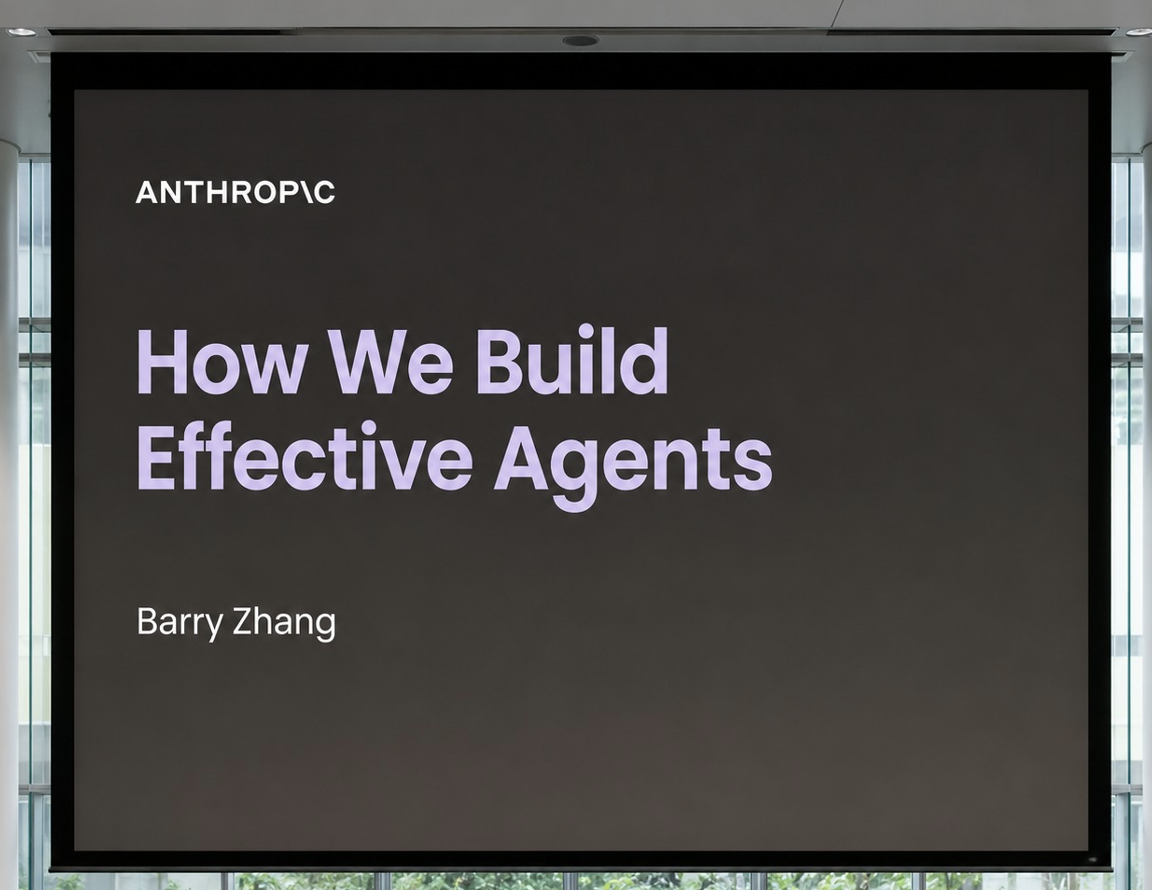
Barry Zhang from Anthropic gave a talk that cuts through all of that. The core message was blunt: most teams are building agents too early, and when they do build them, they build them wrong.
Source: Barry Zhang, Anthropic — "How We Build Effective Agents" (YouTube)
The Core Thesis
Before any framework, tool, or technique: the single most important idea in the entire talk was this —
Agents are not a universal upgrade. They are a specific tool for a specific class of problem. Use workflows everywhere you can. Use agents only where you must.
Everything else in this post is an elaboration of that principle.
Part 1: The Three Stages of AI Systems
Barry opened by tracing how teams typically evolve their AI systems. Understanding this arc helps you figure out where you actually are, and where you should be going.
Stage 1 — Simple AI Features
Most teams start here. A single LLM call handles one task:
Common examples: - Summarize this document - Classify this support ticket - Extract key fields from this invoice - Translate this paragraph
At the time these felt advanced. Today they are table stakes — product features, not differentiators. The model is stateless. There is no memory, no tool use, no multi-step reasoning. Just a prompt and a response.
These are cheap, fast, reliable, and easy to debug. They are underrated. Many use cases that teams reach for agents to solve can be solved at this level with a better prompt.
Stage 2 — Workflows
The next step is orchestration: multiple LLM calls chained together, with deterministic logic controlling the flow.
User input
    │
    ▼
[Step 1: Extract intent]     ← LLM call
    │
    ▼
[Step 2: Query database]     ← deterministic tool call
    │
    ▼
[Step 3: Generate response]  ← LLM call
    │
    ▼
[Step 4: Validate output]    ← LLM call or rule check
    │
    ▼
Final output
The key distinction from agents: the routing logic is written by you, not decided by the model. The model handles the fuzzy parts (understanding language, generating text). Your code handles the control flow.
Workflows are: - Predictable — you can trace exactly why any output was produced - Cheap — you pay for only the LLM calls you need, no exploration overhead - Fast — no retry loops or dynamic branching - Debuggable — each step is inspectable independently
Anthropic considers workflows the beginning of agentic systems — not a lesser alternative, but the correct foundation. If a workflow can solve your problem, it should.
Stage 3 — Agents
Agents differ from workflows in one critical way: they decide their own next action.
User input
    │
    ▼
┌─────────────────────────────┐
│         Agent Loop          │
│                             │
│  Observe environment        │
│       │                     │
│       ▼                     │
│  Reason about state         │
│       │                     │
│       ▼                     │
│  Choose next action         │◄──── The model decides this
│       │                     │
│       ▼                     │
│  Execute action             │
│       │                     │
│       ▼                     │
│  Receive feedback           │
│       │                     │
│  Done? ──Yes──► Output      │
│    │                        │
│   No                        │
│    └──► Observe environment │
└─────────────────────────────┘
The agent explores. It adapts to what it finds. It recovers from dead ends. It handles situations that weren't anticipated at design time.
This autonomy increases: - Usefulness — handles ambiguity and novel situations - Flexibility — adapts to unexpected environments - Capability ceiling — can tackle problems too complex to pre-program
But it also increases: - Token cost — exploration burns tokens; retries burn more - Latency — each loop iteration takes time - Unpredictability — the same prompt may take different paths on different runs - Consequences of errors — a bad decision early can cascade through many subsequent steps
The question is never "should I use an agent?" in the abstract. The question is: does my problem actually require autonomous decision-making, and does its value justify the cost?
Part 2: The Agent Decision Checklist
Before writing a single line of agent code, Anthropic evaluates four things. Run through this checklist honestly.
A. Task Complexity — Is Autonomy Actually Required?
Agents excel when: - The problem space is ambiguous — the right path isn't known upfront - Decision trees are too complex to enumerate — there are too many branches to hardcode - Exploration genuinely matters — the agent needs to try things, observe results, and adapt
If you can describe the complete decision logic as a flowchart that fits on one page, you probably want a workflow.
Decision guide:

Can you write pseudocode for every major         → Use a workflow
branch the system needs to handle?

Does the system need to handle situations        → Consider an agent
you genuinely cannot predict at design time?
B. Task Value — Does the Benefit Justify the Cost?
Agents are expensive. Every iteration of the agent loop burns tokens. Complex tasks may require dozens of iterations. Errors require retries. At scale, this adds up fast.
Example — where agents don't belong:
A high-volume customer support bot handling 10,000 tickets per day where 80% of requests fall into 5 predictable categories. The cost of exploring with an agent on every request is enormous. A workflow with a classifier and 5 response templates is cheaper, faster, and more reliable.
Example — where agents belong:
An internal tool that helps a senior engineer do a security audit of a codebase. The task is high-value ($10,000+ of engineer time saved), low volume (runs 10 times per month), and fundamentally ambiguous (the agent must explore the codebase, form hypotheses, and investigate). The agent cost is justified.
The mental model:
Agent cost is justified when:
  value_of_task > (token_cost × iterations × retry_rate)
                + latency_cost
                + debugging_cost
C. Critical Capabilities — Can the Model Do What the Task Requires?
Before deploying an agent, identify the one or two critical capabilities the task absolutely requires. Then ask honestly: can the model do those things reliably today?
For a coding agent, the critical capabilities are: - Writing syntactically and logically correct code - Debugging by reading error output and forming hypotheses - Recovering from mistakes without getting stuck
If any critical capability is weak, the agent loop becomes an expensive retry machine. The right response is not to add more orchestration — it's to: 1. Reduce scope — narrow the task to what the model can handle reliably 2. Simplify the problem — eliminate steps that depend on the weak capability 3. Add scaffolding — provide tools that compensate (e.g., a linter that catches syntax errors before the agent wastes tokens debugging them)
D. Cost of Error — How Bad Is a Mistake?
This is the most important deployment question, and teams consistently underestimate it.
Two sub-questions:
- How expensive is a mistake? (financial cost, user impact, downstream damage)
- How hard is a mistake to detect? (immediate failure vs. silent corruption)
                    Easy to detect     Hard to detect
                   ┌──────────────────┬──────────────────┐
Low cost of error  │  Fine to deploy   │  Deploy with     │
                   │  with autonomy    │  monitoring      │
                   ├──────────────────┼──────────────────┤
High cost of error │  Deploy with      │  Do NOT deploy   │
                   │  human approval   │  without strict  │
                   │  loops            │  guardrails      │
                   └──────────────────┴──────────────────┘
When errors are expensive or hard to detect, Anthropic recommends: - Read-only access first — let the agent observe before acting - Limited permissions — only grant access to what the task absolutely needs - Human approval loops — require a human to confirm high-stakes actions - Constrained execution environments — sandbox the agent's actions
The instinct to "just add more memory and planning" when an agent makes mistakes is almost always wrong. The right fix is to reduce the blast radius of errors, not to make the agent smarter about recovering from them.
Part 3: The Anatomy of a Simple Agent
Barry emphasized simplicity throughout the talk. Here is what Anthropic considers the core structure of an agent — no more, no less.
1. Environment
The world the agent can observe and act in. This defines what the agent can perceive and what actions are available to it.
| Environment Type | What the Agent Sees | What the Agent Can Do |
|---|---|---|
| Browser | DOM, screenshots, URLs | Click, type, navigate |
| IDE / filesystem | File contents, directory tree | Read, write, run commands |
| API | JSON responses, status codes | Make HTTP requests |
| Database | Query results | Read (or write, with care) |
| Operating system | stdout, stderr, process state | Execute commands |
The environment shapes everything. A poorly designed environment — one that gives the agent noisy or ambiguous observations — will cause more failures than a weak model will.
2. Tools
Tools are the interfaces the agent uses to take actions in the environment. Every tool call is a structured function call the model can choose to make.
Good tool design follows these rules:
# Bad tool — too broad, ambiguous, hard to predict
def do_database_stuff(query: str) -> str:
    """Does stuff with the database."""
    ...

# Good tool — narrow, explicit, predictable outcome
def read_user_record(user_id: str) -> dict:
    """
    Returns the user record for the given user_id.
    Fields: id, email, created_at, plan, last_login.
    Raises UserNotFoundError if the user_id does not exist.
    """
    ...
Tool design principles: - One action per tool — tools that do multiple things are hard for the model to reason about - Explicit failure modes — tell the model exactly what can go wrong and what it means - Informative return values — the output should give the model enough information to decide what to do next - Minimal side effects — prefer read tools; be explicit about which tools mutate state
3. System Prompt
The system prompt defines the agent's operating constraints. It is not a place to describe what the agent is; it's a place to describe exactly what the agent should do, in what order, under what constraints.
Anthropic's system prompts for agents tend to include:
- Goal definition — what success looks like, not just what the task is
- Scope constraints — what the agent is and is not allowed to do
- Operational rules — how to handle specific situations (ambiguous inputs, tool failures, incomplete information)
- Output format — exactly what the final response should look like
Example system prompt structure (not the full text):

You are a code review agent. Your goal is to identify
security vulnerabilities in the provided codebase.

Scope:
- You may read any file in the /src directory.
- You may NOT write, delete, or execute any files.
- You may NOT make external network requests.

When you find a potential vulnerability:
1. Note the file path and line number.
2. Classify the severity (Critical / High / Medium / Low).
3. Describe the vulnerability in one sentence.
4. Suggest a specific fix.

When you have reviewed all relevant files, output a
markdown report with findings sorted by severity.
Do not output anything before the report is complete.
4. The Model Loop
This is where the agent actually runs. The loop is simple:
while not done:
    observation = observe(environment)
    action = model.decide(observation, system_prompt, history)
    result = execute(action, environment)
    history.append((action, result))
    done = model.check_completion(history)
In practice, this is implemented by the model itself: the model generates a tool call or a final response. If it generates a tool call, the framework executes it, appends the result to the conversation, and calls the model again. If it generates a final response (or signals completion), the loop ends.
The key insight: the model loop itself is simple. All the complexity is in the environment, the tools, and the system prompt. If your agent is broken, fix those — not the loop.
Part 4: Why Coding Agents Work (And What We Can Learn From Them)
Barry used coding agents as the canonical example of a well-designed agent use case. Understanding why coding works reveals the principles for evaluating any agent use case.
The Four Properties That Make Coding Ideal
1. The task is genuinely ambiguous.
Going from a design spec to a working pull request requires making hundreds of small decisions that can't be enumerated upfront. Which function to extract? Which edge case to handle? Which existing utility to reuse? This is exactly the kind of exploration agents excel at.
2. The task has high leverage.
A working implementation that would take a senior engineer 4 hours represents real, concrete value. The token cost of the agent — even if it takes 50 iterations — is a fraction of that value.
3. Outputs are verifiable.
This is the most important property. Code has objective correctness criteria:
Agent writes code
      │
      ▼
Run unit tests ──── pass? ──► ✓ Correct
      │
    fail?
      │
      ▼
Compile / lint ──── pass? ──► Maybe correct (investigate)
      │
    fail?
      │
      ▼
Agent retries with error output as context
The agent can evaluate its own output. It doesn't need a human in the loop to know if a function is syntactically valid or if the tests pass. This makes the retry loop effective — each retry has clear signal about what went wrong.
4. Errors are recoverable.
A bad code change can be reverted. A test failure doesn't have consequences beyond the agent's context window. Compare this to an agent that sends emails, processes payments, or deletes records — where a mistake has real-world consequences that can't be undone.
The Template
From coding agents, extract a template for evaluating any agent use case:
| Property | Coding Agents | Your Use Case |
|---|---|---|
| Task is genuinely ambiguous | Yes — design space is large | ? |
| High leverage / clear value | Yes — saves hours of engineer time | ? |
| Output is verifiable | Yes — tests, linting, compilation | ? |
| Errors are recoverable | Yes — git revert, test suite | ? |
If your use case scores 4/4, it's a strong agent candidate. If it scores 0-2, reach for a workflow instead.
Part 5: Think Like Your Agent
This was the most operationally valuable section of the talk.
The Fundamental Mismatch
When you build an agent, you understand the full system. You know: - What the goal is - What tools are available - What the environment looks like - What "success" means - What the agent has already tried
The agent knows none of this — except what exists in its context window at the moment of inference.
This is not a solvable problem. It's a fundamental constraint of how transformer models work. The model does not have background knowledge of your system. It only sees:
Context window at inference time:
┌─────────────────────────────────┐
│ System prompt                   │
│ Conversation history            │
│ Tool descriptions               │
│ Recent tool outputs             │
│ (truncated if too long)         │
└─────────────────────────────────┘

Everything outside this window = does not exist to the model
The Computer Use Example
Barry illustrated this with computer use agents — agents that operate a computer by taking screenshots and sending keyboard/mouse actions.
From the human's perspective, it looks like the agent is "using the computer." From the agent's perspective:
Step 1: Receive screenshot (static image, one moment in time)
Step 2: Read tool descriptions
Step 3: Choose an action (click, type, scroll...)
Step 4: Wait 2-5 seconds with no feedback
Step 5: Receive a new screenshot
Step 6: Try to infer what changed
Repeat.
The agent is not watching a video. It sees a sequence of snapshots with gaps. It cannot perceive intermediate states. A loading spinner looks the same as a frozen UI until the next screenshot arrives.
This led Anthropic to realize their agents needed: - Explicit screen resolution in the system prompt (so the agent knows where pixels are) - UI structure descriptions (what type of element is at a given location) - Action constraints (which UI elements are interactive vs decorative) - Recommended action sequences for common patterns (how to open a file, how to dismiss a dialog) - Environment limitations (no keyboard shortcut X doesn't work in this environment)
None of this was obvious until the team put themselves in the agent's position and asked: "What would I do if I could only see these screenshots with these tool descriptions?"
How to Apply This Principle
Before shipping any agent, do this exercise:
- Take the exact context window the agent will see on a hard input
- Read only that — nothing else
- Ask: could a smart but uninformed human solve this task given only this information?
- If no: what information is missing? Add it.
Common missing pieces discovered this way: - The agent doesn't know what "success" looks like (underspecified goal) - The agent doesn't know what tools are appropriate for which situations - The agent doesn't know what to do when a tool fails - The agent's history is truncated and it has lost track of what it already tried - The agent receives opaque error messages it cannot interpret
Part 6: Keep It Simple — The Anti-Complexity Manifesto
Barry was emphatic about this. Most teams add complexity before they've validated that the simple version works.
What Teams Prematurely Add
Common premature additions:
┌─────────────────────────────────────────────────────┐
│ × Memory systems      (before testing basic recall)  │
│ × Multi-agent graphs  (before one agent works)       │
│ × Planning modules    (before direct action works)   │
│ × Reflection loops    (before measuring error rate)  │
│ × Orchestration layers (before the core loop works) │
└─────────────────────────────────────────────────────┘
Each of these adds: - More tokens per call - More surface area for bugs - More moving parts to debug - More latency - More cost
And none of them help if the underlying issue is a bad tool description or a vague system prompt.
The Correct Iteration Order
Anthropic's approach:
Phase 1 — Make it work
  ├── Environment: Can the agent observe what it needs?
  ├── Tools: Are the tools doing the right thing?
  ├── System prompt: Does the agent understand the task?
  └── Model loop: Is the loop terminating correctly?

Phase 2 — Make it reliable
  ├── Improve tool descriptions
  ├── Add more informative error returns
  ├── Add edge case handling to the system prompt
  └── Improve environment feedback quality

Phase 3 — Make it efficient
  ├── Optimize token usage
  ├── Cache repeated tool calls
  └── Parallelize independent steps

Phase 4 — Scale complexity (only if needed)
  ├── Add memory for long-running tasks
  ├── Break into sub-agents for parallel workstreams
  └── Add planning for highly complex tasks
Never jump to Phase 4 without completing Phases 1-3.
The Debugging Hierarchy
When your agent isn't working, diagnose in this order:
- Is the environment giving the agent the right information? (Most common issue)
- Are the tool descriptions accurate and unambiguous? (Second most common)
- Is the system prompt clear about goals and constraints? (Third)
- Is the model making bad decisions given good inputs? (Rare — often the model is correct given what it sees)
The model is almost never the root cause of an agent failure. The environment, tools, and prompt are.
Part 7: Using Models to Improve Agents
One of the more surprising insights from the talk: Anthropic uses Claude to improve Claude's own agent systems.
The Meta-Layer: AI as a Debug Tool
When an agent behaves unexpectedly, instead of just reading logs, the team feeds the entire agent trajectory — every observation, every action, every tool output — into Claude and asks:
- "Why did the agent make this specific decision at step 7?"
- "Which part of the context caused the confusion?"
- "What information was missing that would have led to the correct action?"
- "What change to the system prompt or tool description would have prevented this?"
This is far faster than manually reading through hundreds of turns of conversation. The model can identify patterns of confusion that humans would miss.
Self-Improving Tool Descriptions
Anthropic also uses models to validate and improve their tool descriptions before deployment:
# Workflow: Model reviews its own tools

prompt = """
You are about to be given a tool called `search_codebase`.
Here is its description:

{tool_description}

Based only on this description, answer:
1. What does this tool do?
2. When should you call it?
3. What are the exact inputs it expects?
4. What could go wrong, and what does the output look like in that case?
5. Are there any situations where this tool description is ambiguous?
"""

response = claude.messages.create(
    model="claude-opus-4-7",
    messages=[{"role": "user", "content": prompt}]
)
# If the model gets any of these wrong, rewrite the description.
If the model cannot correctly explain what a tool does from its description alone, the tool description is wrong — not the model.
Trajectory Analysis
For complex agents, Anthropic builds evaluation pipelines where: 1. The agent runs on a set of benchmark tasks 2. The full trajectory of each run is saved 3. A separate model instance analyzes the trajectories for failure patterns 4. The patterns are used to improve the system prompt and tool descriptions 5. Repeat
This is systematic iteration, not intuition-driven debugging.
Part 8: Multi-Agent Systems — When and How
Barry addressed multi-agent systems with measured optimism: the capability is real, but most teams reach for it too early.
When to Split Into Multiple Agents
Multi-agent architectures make sense when:
1. The task is too long for a single context window.
Some tasks generate so much intermediate state that a single agent's context fills up before completion. A multi-agent architecture allows each sub-agent to work within a fresh, focused context.
2. The task has genuinely independent parallel workstreams.
Example: Audit a large codebase for security issues

Single agent:                    Multi-agent:
  Review auth module               Agent A: auth module
  Review database layer     vs.    Agent B: database layer
  Review API endpoints             Agent C: API endpoints
  Review frontend              (all in parallel)
  ...                          Orchestrator: merge findings
  (sequential, slow)           (parallel, 4x faster)
3. Different subtasks require specialized context.
An orchestrator agent that understands the high-level task can delegate to specialist agents that understand individual domains. Each specialist operates with a smaller, more focused context — which typically improves performance.
The Communication Problem
The biggest unsolved challenge in multi-agent systems is inter-agent communication.
Current approaches:
Pattern 1: Sequential handoff
  Agent A completes → passes output to Agent B
  Problem: A must finish before B starts

Pattern 2: Shared memory store
  Agents read/write to a shared database
  Problem: Race conditions, consistency issues

Pattern 3: Orchestrator pattern
  Orchestrator agent delegates to sub-agents and aggregates
  Problem: Orchestrator becomes a bottleneck; its context fills with results
Barry's expectation: future multi-agent systems will move toward asynchronous coordination with persistent communication layers — more like distributed systems than sequential conversation chains. This is still an open research problem in 2026.
Multi-Agent Design Principles
When you do build multi-agent systems:
- Each agent should have a narrow, well-defined scope — if you can't describe one agent's job in one sentence, it's doing too much
- Agents should not share mutable state without explicit synchronization
- The orchestrator should be dumb — it should route, not reason; reasoning should happen in sub-agents
- Build and validate each sub-agent independently before composing them
- Trust boundaries matter — a sub-agent calling a tool has different permissions than the orchestrator
Part 9: The Future — What's Coming in Agent Systems
Barry ended with three open problems that will define the next generation of agent systems.
A. Budget-Aware Agents
Today, agents have no native sense of how expensive they are. They will explore indefinitely, retry without limit, and generate arbitrarily long responses — until they hit a hard context limit or timeout.
Future systems will need:
Execution budget API (conceptual):

agent.run(
    task=task,
    max_tokens=50_000,       # Token budget
    max_latency_ms=30_000,   # Latency budget
    max_tool_calls=20,        # Action budget
    on_budget_exceeded="summarize_and_stop"  # Graceful degradation
)
Budget-aware agents will adapt their reasoning depth to available resources — doing thorough work when budgets are large, doing faster approximate work when budgets are tight.
B. Self-Improving Tools
Currently, humans write tool descriptions. Humans update them when agents fail. Future agents may be able to:
- Identify when a tool description is causing confusion
- Propose improvements to their own tools
- Generate new tool abstractions for repeated patterns they observe
- Optimize the interface between themselves and their environment
This is the closest thing to "agents improving themselves" that is grounded and practical — not modifying their own weights, but refining the scaffolding they operate in.
C. Asynchronous Multi-Agent Coordination
Current multi-agent systems are largely synchronous: Agent A finishes, passes a result, Agent B starts. Future systems will need:
- Asynchronous coordination — agents working concurrently without waiting for each other
- Persistent communication — a shared state store agents can read from and write to asynchronously
- Event-driven triggers — agents that activate in response to state changes, not just explicit calls
- Inter-agent protocols — standardized ways for agents to request help, delegate tasks, and report results
This mirrors the evolution of distributed systems over the past two decades: from synchronous RPC calls to event-driven, eventually-consistent architectures. Agent systems are going through the same transition.
Part 10: Practical Rules for Builders
If you are building AI agent systems today, here is the complete checklist extracted from the talk.
Before You Build
- Can this problem be solved with a single LLM call + good prompt? If yes, start there.
- Can this problem be solved with a workflow (multi-step, but deterministic routing)? If yes, use a workflow.
- Is the task genuinely ambiguous enough to require autonomous decision-making?
- Is the task value high enough to justify agent-level token costs?
- Can the model reliably perform the 1-2 critical capabilities this task requires?
- Have you designed for the cost of errors (permissions, approval gates, sandboxing)?
When Building
- Start with the simplest possible environment, tool set, and system prompt.
- Test each tool independently before connecting it to the agent.
- Read your own system prompt as if you know nothing about the system. Is it clear?
- Validate tool descriptions by asking the model to explain what each tool does.
- Simulate the agent's context window on a hard input. Is all the necessary information there?
- Add explicit instructions for common failure modes.
- Set up a way to save and replay full agent trajectories for debugging.
When Debugging
- Check environment feedback quality first (is the agent getting the right observations?).
- Check tool descriptions second (are they accurate and unambiguous?).
- Check the system prompt third (is the goal and scope clear?).
- Feed the full trajectory to a model and ask it to identify the root cause.
- Fix the environment/tools/prompt before adding complexity.
Before Adding Complexity
- Does the agent work reliably on 80%+ of test cases in its current form?
- Have you profiled which failure modes actually need the new complexity?
- Have you validated that the new component (memory, sub-agent, planner) actually improves the target metric?
Summary
Barry Zhang's talk at Anthropic delivers a rare thing: practical wisdom from a team that has actually built and debugged production agent systems at scale. Here are the five ideas that matter most.
1. Default to workflows, not agents. Workflows are cheaper, faster, more reliable, and easier to debug. Use agents only when the task is genuinely too ambiguous for deterministic routing. Most problems are not that ambiguous.
2. Evaluate agents on four dimensions before building. Task complexity (is autonomy required?), task value (does it justify the cost?), critical capabilities (can the model do the hard parts?), and cost of error (what happens when it's wrong?). If any dimension fails, redesign before building.
3. Keep the core structure simple. Environment + Tools + System Prompt + Model Loop. That's it. Validate the simple version works before adding memory, planning, reflection, or multi-agent coordination. Complexity added before validation is debt paid in debugging time.
4. Think like your agent. The model only knows what's in its context window. Read your own system prompt and tool descriptions as if you know nothing about the system. If you can't solve the task with only that information, the agent can't either. Fix the context, not the model.
5. Use models to improve models. Feed agent trajectories to a model and ask it why decisions were made. Use a model to validate your tool descriptions before deploying them. The fastest path to a better agent is usually a better prompt or a better tool description — not a smarter model or a more complex architecture.
The teams shipping reliable agents in 2026 are not the ones with the most sophisticated orchestration graphs. They're the ones who got the fundamentals right, validated behavior at each step, and added complexity only where the data showed they needed it.
Questions or discussion? Connect on LinkedIn, X or reach out via email.
Discussion
Have thoughts on this post? Share them below — questions, corrections, or your own experience are all welcome.